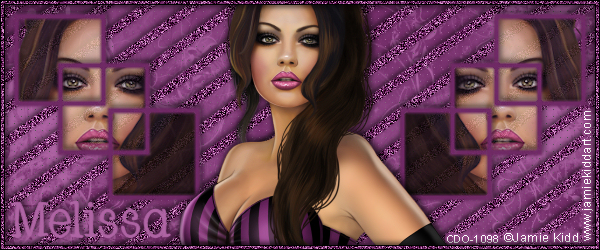
This tutorial was written by me on 12/09/2015 and assumes you have
working knowledge of PSP. Any similarities to other tuts is purely
coincidental and not done on purpose.

For this tut you will need:
PSP - I use version X3 but most versions will do
2 Tubes of choice by the same artist. I'm using the art of Maryline Cazenave. You can buy these tubes at CDO here & here.
Do not use these tubes without properly obtaining a license first.
Xmas Mask 2 by Designs by Vaybs
Font of choice, I used Santa's Sleigh
Eye Candy 4000 Gradient Glow
Let's begin, remember to save often so you don't lose your work.
Open frame 2 from your kit. Duplicate and close the original. Resize 85%, all layers unchecked. Add a new raster layer and send it to the bottom and flood fill white.
Open paper of choice, I used paper 3. (preview below shows a different paper, I changed my mind later in the tut) Copy and paste as a new layer onto your tag. Make sure this is below your frame layer. Resize 60%, again all layers unchecked.
Activate your frame layer again, click inside the 2 stars of the frame with your magic wand. Expand by 6. Keep Selected. Take your selection tool and draw a small rectangle around the little spot where the two frames are linked.
Open paper of choice, I used paper 3. (preview below shows a different paper, I changed my mind later in the tut) Copy and paste as a new layer onto your tag. Make sure this is below your frame layer. Resize 60%, again all layers unchecked.
Activate your frame layer again, click inside the 2 stars of the frame with your magic wand. Expand by 6. Keep Selected. Take your selection tool and draw a small rectangle around the little spot where the two frames are linked.

Invert selection. Activate the paper layer, press delete and deselect.
Open your first tube of choice, duplicate and close the original. Copy your tube and paste as a new layer on your tag. Resize as needed, I resized mine 70%. Arrange under the top star. You want your tube to be a little bit bigger then the star, see my tag for reference.
Open your 2nd tube, copy and paste as a new layer on your tag. Arrange this tube under the bottom star, resize if needed. I chose to mirror mine, but this is optional. If any part of your tube hangs off the edge of the canvas, move the tube over a bit so you can see all of it, then draw a selection around the part that would be outside the right side of the frame and delete.
Open your first tube of choice, duplicate and close the original. Copy your tube and paste as a new layer on your tag. Resize as needed, I resized mine 70%. Arrange under the top star. You want your tube to be a little bit bigger then the star, see my tag for reference.
Open your 2nd tube, copy and paste as a new layer on your tag. Arrange this tube under the bottom star, resize if needed. I chose to mirror mine, but this is optional. If any part of your tube hangs off the edge of the canvas, move the tube over a bit so you can see all of it, then draw a selection around the part that would be outside the right side of the frame and delete.


When you have that part removed, move the tube back to where you had it before. Give both of your tubes a drop shadow, I used 0, 0, 60, 10. Repeat the same drop shadow on the frame. Keep the tubes under the frame for now, we'll rearrange them later.
Activate the white bottom layer. Select all and add a new raster layer. Open a paper of choice, I used paper 3 again. Copy and paste into selection on your tag. Deselect. Be sure you have your mask open and minimized. Still on the paper layer, add mask from image and merge group.
Activate the frame layer again. It's now time to add our elements. See my tag for reference on where to place items.
Activate the white bottom layer. Select all and add a new raster layer. Open a paper of choice, I used paper 3 again. Copy and paste into selection on your tag. Deselect. Be sure you have your mask open and minimized. Still on the paper layer, add mask from image and merge group.
Activate the frame layer again. It's now time to add our elements. See my tag for reference on where to place items.
Element 17, resize 90%. Rotate to the right 45 degrees, place on the bottom left of the frame. Duplicate, mirror and then flip. Arrange on the top right of your frame, but move it just above the mask layer. Element 14, resize 60%, place above the spray that is above the mask. Element 15, resize 50%. Element 20, resize 30% and sharpen once. Add any other elements of choice. When done be sure to give all of your elements the same drop shadow as you did your tubes and frame.
If you're going to resize your image, now is the time to do it. I resized mine 80%. Be sure all layers is checked.
Now, hide all layers except the white background, the 2 tubes and the frame. We're going to remove what sticks out from the bottom of the stars and make the top of the tubes coming out of the top of the star. So it's important that your tubes be placed where there is a gap between the tube and the frame where the top part of the tube is going to be on top of the frame. This eliminates any part being cropped wrong. Zoom in if you need to, to be able to see and move the tubes slightly if needed. The two black circles in the preview below shows an example of the gaps needed. See my tag for reference on how the top part of the tube is above the star.
If you're going to resize your image, now is the time to do it. I resized mine 80%. Be sure all layers is checked.
Now, hide all layers except the white background, the 2 tubes and the frame. We're going to remove what sticks out from the bottom of the stars and make the top of the tubes coming out of the top of the star. So it's important that your tubes be placed where there is a gap between the tube and the frame where the top part of the tube is going to be on top of the frame. This eliminates any part being cropped wrong. Zoom in if you need to, to be able to see and move the tubes slightly if needed. The two black circles in the preview below shows an example of the gaps needed. See my tag for reference on how the top part of the tube is above the star.

Hide one of the tubes for now. I'm going to hide the bottom tube and work on the top one.
Activate your freehand selection tool, draw a line along the bottom part of the star that has any parts of the tube sticking out under it and then around that section of tube.
Activate your freehand selection tool, draw a line along the bottom part of the star that has any parts of the tube sticking out under it and then around that section of tube.

Make sure the correct tube layer is active and press delete. Deselect. Now unhide your 2nd tube layer and do the same thing.

Now remember those gaps I had you check? Zoom in so you can see your work and you're going to select around the top part of those tubes. Be sure the tube you're selecting around is active.

Now promote to layer. Activate the tube layer again and press delete. Deselect and move the promoted layer above the frame layer.
Now repeat with the bottom tube. You might need to hide the top tube for now so you can see better.
Now repeat with the bottom tube. You might need to hide the top tube for now so you can see better.

Once you have both your tubes done you can now unhide all layers. Activate your mask layer and click on your crop tool. Click on layer opaque. Take note of the borders where it'll be cropped, you should have no tubes, mask or drop shadows outside the crop square. If you do, then you can drag out the side of crop square to accomodate the excess. Crop your tag when you're ready.
Add your copyright info, license and tagger's mark. Be sure to credit the scraps if required.
Add your name using font of choice and colors from your tubes or kit. The kit I'm using has a color palette and so I'm using the two red colors with the darker being the foreground. Size will depend on your name but I'm using 72 and the stroke is 1.5.
Give your name an inner bevel. I used this one.
Add your copyright info, license and tagger's mark. Be sure to credit the scraps if required.
Add your name using font of choice and colors from your tubes or kit. The kit I'm using has a color palette and so I'm using the two red colors with the darker being the foreground. Size will depend on your name but I'm using 72 and the stroke is 1.5.
Give your name an inner bevel. I used this one.

Then give it a gradient glow with the glow width at 3.

Then drop shadow your name, I used 0, 2, 50, 5.
Delete the white background layer and merge visible. Save as a png or merge all and save as a jpg. Congrats, you're done!
Delete the white background layer and merge visible. Save as a png or merge all and save as a jpg. Congrats, you're done!
There's also a matching Incredimail letter. Click on the preview below to download.